
Freelancing offers flexibility, creative freedom, and unlimited earning potential, but managing payments can quickly become one of the biggest challenges. Sending invoices manually, tracking overdue payments, and maintaining financial records often consume valuable time that could be spent serving clients or growing your business. That’s why invoicing software for freelancers has become an essential tool for independent professionals.
Whether you’re a writer, designer, developer, consultant, marketer, photographer, or virtual assistant, modern invoicing solutions simplify billing while helping you maintain a professional image. Instead of creating invoices from scratch every time, you can automate repetitive tasks, monitor payments, and organize client information from one convenient dashboard.
Platforms like Invoice Spark provide freelancers with an easy way to create professional invoices in under a minute, manage clients, export PDF invoices, track payments, and even work offline, making billing faster and more efficient.
Create Professional Invoices in Seconds
First impressions matter—even when sending invoices. A professionally designed invoice demonstrates credibility and encourages clients to process payments faster. Instead of spending time editing spreadsheets or Word documents, dedicated invoicing software allows freelancers to generate polished invoices within minutes.
A quality invoice typically includes:
- Business information
- Client details
- Invoice number
- Itemized services
- Taxes and discounts
- Payment terms
- Due date
Using an invoice maker for freelancers helps eliminate formatting mistakes while ensuring every invoice looks clean and professional.
Stay Organized with Smart Client Management
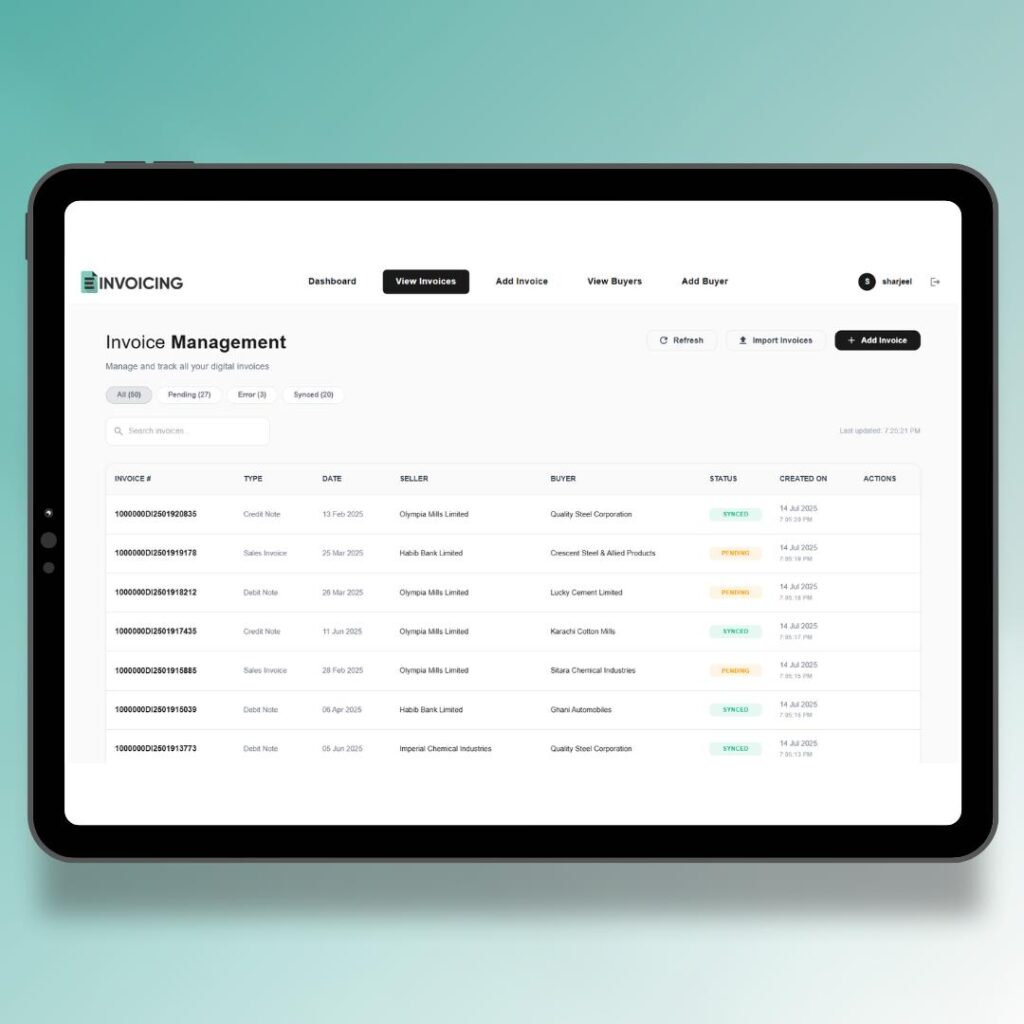
As your freelance business grows, managing dozens of clients manually becomes increasingly difficult.
Modern invoicing software stores:
- Client profiles
- Contact details
- Billing history
- Previous invoices
- Payment records
- Business notes
Instead of searching through emails or spreadsheets, everything remains organized in one dashboard.
Invoice Spark includes built-in client management with searchable customer records that make invoice creation much faster.
Track Payments Without the Guesswork
One of the biggest frustrations freelancers experience is chasing unpaid invoices.
Professional invoicing software allows you to instantly monitor:
| Payment Status | Benefit |
| Paid | Confirms completed transactions |
| Pending | Shows invoices awaiting payment |
| Overdue | Identifies clients needing reminders |
| Revenue Dashboard | Tracks overall business income |
Having complete visibility into payment status helps improve cash flow and reduces administrative stress.
Many modern invoicing tools now include payment tracking dashboards specifically designed for freelancers and small businesses.
Save Hours Every Month Through Automation
Manual invoicing requires repeating the same tasks again and again.
These include:
- Entering customer information
- Creating invoice numbers
- Calculating taxes
- Adding discounts
- Exporting PDFs
- Saving invoice copies
Automation removes much of this repetitive work. Instead of spending hours preparing invoicing software for freelancers, freelancers can focus on client projects, marketing, or expanding their business.
Automation also reduces human error and creates a more consistent billing process.
Manage Your Business Anywhere
Today’s freelancers rarely work from one location.
Many operate from:
- Home offices
- Coworking spaces
- Coffee shops
- Client locations
- While traveling
Mobile-friendly invoicing software allows users to:
- Create invoices
- Edit client information
- Share invoices instantly
- Download PDF copies
- Monitor payments
Invoice Spark supports mobile invoice creation, multiple templates, PDF exports, and offline functionality, allowing freelancers to continue working even without an internet connection.
Improve Financial Management
Freelancers are responsible for managing their own finances. Without organized financial records, tasks like budgeting, tax preparation, and business planning become far more difficult.
Professional invoicing software helps organize:
- Revenue
- Client payments
- Invoice history
- Taxes
- Discounts
- Payment terms
Keeping financial information organized makes year-end accounting significantly easier while supporting smarter business decisions.
Instead of relying on scattered spreadsheets, freelancers maintain one centralized record of all billing activity.
Build Trust and Grow invoicing software for freelancers
Professional invoicing isn’t just about collecting payments—it reflects the quality of your business.
Clear invoices help clients understand:
- What services were delivered
- Payment deadlines
- Pricing breakdowns
- Business information
Professional communication improves trust and reduces confusion. Satisfied clients are more likely to pay on time, recommend your services, and become repeat customers.
As your freelance business grows, organized invoicing becomes an important part of maintaining long-term client relationships.
Manual Invoicing vs Modern Invoicing Software
| Feature | Manual Method | Modern Software |
| Invoice Creation | Slow | Fast |
| Payment Tracking | Manual | Automatic |
| Client Management | Spreadsheets | Built-in Dashboard |
| PDF Export | Separate Tools | Included |
| Mobile Access | Limited | Yes |
| Invoice History | Difficult | Organized |
| Business Growth | Time-Consuming | Scalable |
Why Mobile-First Invoicing Matters
Freelancers increasingly manage their businesses using smartphones and tablets.
Modern invoicing platforms allow users to:
- Send invoices immediately after completing work
- Check payment status while traveling
- Manage clients from anywhere
- Access invoices on multiple devices
- Respond quickly to client requests
Fast-loading, mobile-friendly interfaces improve productivity while supporting today’s flexible work environment.
Why Many Freelancers Choose Invoice Spark
Invoice Spark is designed specifically for freelancers, consultants, contractors, and small business owners looking for a simple yet powerful invoicing solution.
Some of its key features include:
- Professional invoice templates
- Instant PDF invoice generation
- Automatic invoice numbering
- Client management
- Revenue dashboard
- Payment tracking
- Multiple currency support
- Offline functionality
- Invoice sharing via email and messaging apps
- No subscription required according to its current app listing.
Conclusion
Managing invoices efficiently is one of the most important parts of running a successful freelance business. Professional invoicing software for freelancers helps eliminate repetitive tasks, improve payment tracking, organize financial records, and create polished invoices that build client confidence.
Using an invoice maker for freelancers not only saves valuable time but also supports healthier cash flow and stronger client relationships. Modern platforms such as Invoice Spark combine automation, mobile accessibility, and professional invoice creation into one easy-to-use solution, allowing freelancers to focus less on paperwork and more on growing their business.
As freelancing continues to evolve, investing in reliable invoicing software is one of the smartest decisions independent professionals can make.
Frequently Asked Questions
What is invoicing software for freelancers?
It is software that helps freelancers create professional invoices, manage clients, track payments, and organize financial records in one place.
Why should freelancers use an invoice maker?
An invoice maker reduces manual work, creates professional invoices quickly, and helps improve payment tracking.
Can invoicing software be used on mobile devices?
Yes. Many modern invoicing platforms are mobile-friendly, allowing freelancers to create and send invoices from smartphones or tablets.
Does Invoice Spark support PDF invoices?
Yes. Invoice Spark allows users to generate professional PDF invoices and share them through email or messaging apps.
Is invoicing software suitable for beginners?
Yes. Most invoicing platforms are designed with user-friendly interfaces that make invoice creation simple, even for first-time freelancers.
For more blogs visit https://phat4life.mn.co/posts/proven-ways-professional-invoices-help-businesses-get-paid-faster