
Introduction
One can use technology to simplify the lives of older persons and allow them to plan their lives, communicate with family and perform other everyday routines. It can be helpful for someone to use smartphones in order to organize his/her schedule, tasks and information. However, it is crucial to select the right applications which can be used for these purposes.
The selection of the appropriate Apps for Older Adults will provide them with independence and help the family members to support their relatives better. There are apps that can remind users about their medications, health monitoring, video calls, emergencies and other useful things. If an elderly person takes different prescribed medicines, he/she will require a medication reminder app. In order to choose the most appropriate app, it is important to consider such aspects as availability, privacy, reliability and usability of the application.
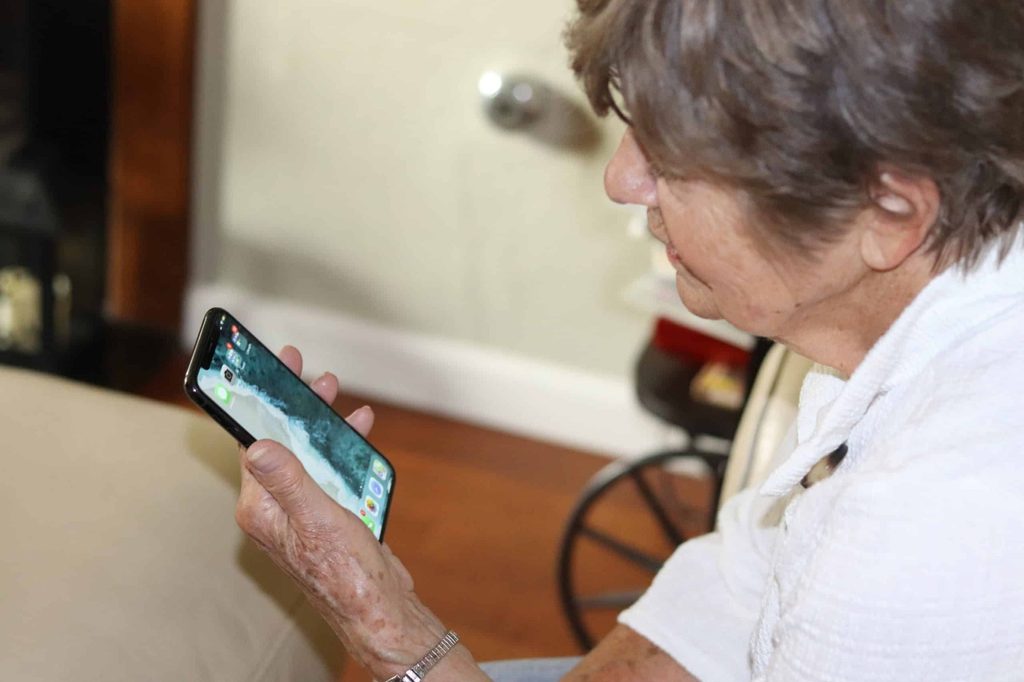
1. Medication Reminder Apps for Daily Routines
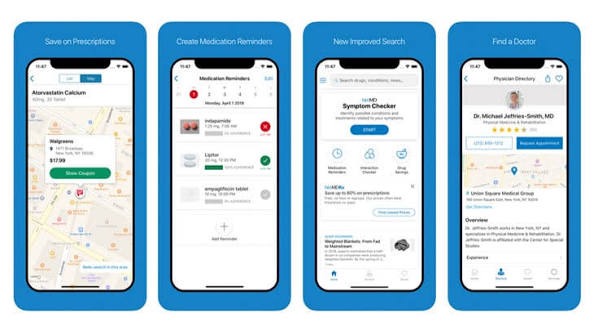
Medication reminder apps notify users about the timing of medications by means of alerts. They may be useful for older patients that have a fixed regimen of taking their medicines or require assistance in organizing their schedules.
Different features may be included in different medication reminders, among which are:
- Specific reminders for the medicines
- Names and doses of the medicine
- Schedule for days/weeks
- Record of the doses taken
- Medicine refill reminder
If you are going to pick the best medication reminder app android 2026, consider the following features:
- Clarity of the text
- Setting the alarm easily
- User-friendly design
Sometimes there are such features as caregiver notifications and medicine history.
Medication reminder helps in organizing the regimen of medications but does not guarantee the correct use of the dosage. It is necessary to follow the instructions of your healthcare provider regarding your medicines.
2. Calendar Apps for Appointments
Applications for calendars can assist senior citizens in arranging their medical appointments, family visitations, and other social and personal meetings. In this way, users will be able to see their arrangements on their mobile devices without necessarily depending on their memory.
Useful aspects of the application include:
- Appointment reminders
- View by day, week, and month
- Reminders for recurring activities
- Sharing the calendars with family members
- Locations for the appointments
A basic calendar can prevent confusion and allow users to be prepared for their appointment beforehand. Family members can assist in making the necessary reminders on behalf of the users.
3. Video Calling Apps to Stay Connected
Constant communication with your loved ones can be facilitated by using video calls applications. Thus, elderly individuals can easily communicate and chat with their loved ones, no matter how far they are located.A number of such video calling applications have some additional features, including group calls, messengers, contact management and other useful options.
However, the best idea would be to select such application that is convenient for the relatives of the elderly individual and that he or she finds easy to use.In order to facilitate communication, keep contacts, increase the size of the text on your phone and download video calling application.Communication can also make it possible for the elderly people to maintain social activity and participate in family life at home.
4. Health Tracking Apps for Personal Records
Health tracker apps assist the user to enter selected health data according to the capabilities of the app and the device being used.The recorded information might assist the user in recognizing any change that occurs over time and asking questions during the next visit to a healthcare provider.
Some of the factors to take into consideration when choosing a health tracker app include:
- What kind of measurement does the app offer
- Whether there is an option of exporting or sharing the data
- Data storage capabilities
Is it compatible with the device you are using?
Health tracker apps must not be seen as an alternative to medical assessment. In case you encounter any alarming information or symptom you need to consult with a healthcare provider.
5. Emergency Contact and Safety Apps
Tools that assist in establishing a connection during an emergency situation may help in locating all necessary contact information quickly. Depending on the service and device, you can use such tools as emergency calls, sharing your location with particular persons, or getting information about one’s health status through the lock screen of your phone.
These features will be useful for those people who live or travel alone.In case you use any safety applications, it is important to make sure that the contacts have allowed the application to communicate with them. Testing of location permission and checking how the application works should be carried out by trusted persons.It is necessary to note that applications and emergency tools may differ depending on the phone model and country of usage.
6. Reminder Apps for Everyday Tasks
Every reminder is not always going to be a drug-based one. Reminder apps can assist senior citizens with performing their daily chores like watering plants, preparing for visitors, calling loved ones, etc.Some of the things that might need reminders include doing household chores, going shopping, doing exercise, going for meetings, etc.
Try to look for apps that can provide:
- Easy reminder setting
- Alerts
- Repeating of reminders
- Big fonts
- Editing and deleting reminders
Instead of using an advanced app, a simple reminder app will be more useful. The users can use a couple of reminders at first and then gradually increase the number of reminders.
7. Navigation Apps for Getting Around
Navigation apps comprise maps, routes, and information regarding surroundings. The use of such applications will help elderly persons to find hospitals, drugstores, shops, places, and routine routes.According to the kind of application, a person can find voice routes, favorites, public transport routes, and the period of time spent on travelling.In order to make navigation easier, it is essential to include most frequently visited places like a doctor’s office and a drugstore. It is crucial to charge the battery of a cell phone and not to touch the screen while travelling.
Navigating applications are useful; nevertheless, one should be aware of surroundings.
8. Brain Games and Learning Apps
There are certain brain game and learning applications that offer puzzles, word games, quizzes, reading and languages. These can be considered to be some fun and entertaining ways of spending the free time.The best application for elderly people is one that offers an adjustable level of difficulty, some guidelines to follow, readable texts and no advertisements at all.In this case, the goal is just to have fun and learn something without being made to get a particular score. These apps can help you plan your leisure time well, but they are definitely not the way out of all your memory and other cognitive impairment problems.
9. Medication and Caregiver Coordination Apps
Some medication apps enable the sharing of certain information with the caregiver or another family member. The type of information available for sharing varies from one service to another, ranging from the schedule of medications, dosages, refill reminders to missing reminders.These functionalities may prove useful where an elderly person needs help with managing a complex regimen of taking their medications. Nevertheless, not all the applications allow for caregiver functionality, and some may have to pay for such features.It is important to determine the capabilities of a particular med reminder app before downloading one. The elderly person should be aware of what kind of information is shared with others.
How to Choose the Right Apps for Older Adults
Selection of the best application is based on the need of the user, smartphone, preference and technical expertise. The following are the aspects that have to be considered when selecting an application:
- User-friendly: This consists of navigation, labeling and text readability.
- Accessibility: This comprises text adjustment, voice control and notification settings.
- Compatibility: This involves the compatibility of the application with the user’s Android smartphone and other devices.
- Privacy: This includes permissions and protection of personal information.
- Cost: Subscription based, advertisements and paid applications are some of the aspects to consider.
- Reliability: This comprises notification tests and review.
- Technical Support: This may include family members in the installation of the application.
In order to avoid confusion, it will be easier if one starts by installing one or two applications. The application should be installed together, reminder features tested and finally the senior should be able to use it.
Frequently Asked Questions
Which are useful apps for the elderly?
It includes a list of applications that can be used to set reminders about medication, calendar, video communication, health, emergency situations, navigation, and just reminders. It will all depend on the lifestyle of an elderly person.
What should I take into account choosing the best med reminder app for my senior parent in 2026 for Android?
It is necessary to pay attention to adjustable alarms, schedule settings, user-friendly interface, registering of dosage and reminders for ordering medication refills. One can also look at the opportunity of using caregiver assistance based on one’s consent and see which functions are free.
Would the med reminder app help seniors take their medications?
Yes, because medication reminder applications will remind users about the time and let them register their dosage. They are the kind of organization aid, but cannot guarantee the usage of medication.
Is there any med reminder app available for free?
Yes, there are applications that are completely free with basic functions and applications with advanced functions. The latter are paid and include such additional options as caregiver alerts, reports, or cloud sync.
Conclusion
The mobile gadgets can be used by the older adults to organize their activities, keep in touch with their families, and control their drugs. There exist numerous applications that can be used by seniors to do different necessary things.In order to select appropriate applications for the older adults, there are several important criteria that have to be taken into account. The most important among them is choosing a proper reminder application that will fit the schedule developed by the physicians.
For more detail visit:bytesflux.com